Key Takeaways
- WP Rocket (starts at $59/year for 1 site, currently on sale at $41.30) is the best premium all-in-one plugin. Works on any server, applies 80% of performance best practices the moment you activate it, and includes a built-in performance dashboard called Rocket Insights.
- LiteSpeed Cache (free, 7+ million installs, rated 4.8/5) is the best free option available, and on LiteSpeed servers it outperforms most paid plugins. Supports AVIF and WebP image optimization, object caching, critical CSS, and more out of the box.
- W3 Total Cache (free / $99/year Pro, 900,000+ installs) is the most configurable free plugin. Has a setup wizard that tests your server. But support has serious gaps and recent update issues have frustrated users.
- WP Super Cache (free, 1+ million installs, by Automattic) is the simplest and most stable pure page cache. It does one thing well. Latest version 3.1.1 requires WordPress 6.8+.
- Cache Enabler (free, 90,000+ installs, by KeyCDN) is the leanest option. Single settings page, no bloat, solid WebP and Brotli support.
- Flying Pages (free bonus plugin, 4.9/5 rating, 20,000+ installs) is not a cache plugin, but pairs perfectly with any of the above. It preloads pages intelligently before users click, making navigation feel instant.
- Run only one caching plugin at a time. Two will conflict and break things.
Your WordPress site is slow. You’ve tried a faster theme, compressed some images, maybe even upgraded your hosting plan. Still slow.
Here’s what most guides won’t tell you upfront: without a caching plugin, WordPress rebuilds every single page from scratch on every visit. It runs PHP code, queries your database, assembles your theme and plugins into HTML, and then sends it to the visitor. That whole process repeats for every single user, every single time.
A good WP cache plugin stops that. It saves a finished, pre-built version of each page and serves that instantly to the next visitor, skipping PHP and the database entirely. Think of it like pre-cooking meals during slow hours so orders go out immediately during the rush.
This is the difference between a site that loads in 0.4 seconds and one that takes 3.
What Is a WP Cache Plugin (And Why Your Site Needs One)
WordPress is a dynamic platform. Without caching, here’s what happens every time a visitor lands on your site: WordPress loads PHP, queries your MySQL database, pulls in your theme and all active plugins, assembles everything into one HTML page, and sends it to the browser. That entire process runs again for the very next visitor, even if nothing on the page has changed.
Caching breaks that cycle. The plugin captures the finished HTML and stores it as a static file on your server’s disk. The next visitor gets that saved file directly, skipping PHP and the database completely.
The result: your server does far less work, pages load faster, and your Google Core Web Vitals scores improve. Core Web Vitals are the set of page experience metrics Google uses as ranking factors, including things like how fast your main content loads (LCP) and how quickly your server responds (TTFB, or Time to First Byte).
The 4 Types of Caching Worth Knowing
Page caching saves full HTML versions of your pages. This is the core function of every plugin in this guide.
Browser caching tells a visitor’s browser to save certain files locally, like your logo, CSS, and fonts. On their next visit, those files load from their own computer instead of downloading again. The browser gets a header from your server saying “keep this file for 30 days.” That’s browser caching.
Object caching stores the results of database queries in fast memory (Redis or Memcached). Instead of running the same database query twice, WordPress remembers the answer. Think of it like a teacher who writes answers on a notepad instead of solving the same math problem ten times in a row.
GZIP or Brotli compression shrinks your files before they travel from your server to a visitor’s browser. Like zipping a folder before emailing it. Brotli is newer and compresses better than GZIP on average.
You don’t need to manually handle all four. A solid WP cache plugin manages most of this automatically.
The 6 Plugins Compared: Quick Reference
| Plugin | Price | Installs | Rating | Server Requirement | Free Image Optimization |
|---|---|---|---|---|---|
| WP Rocket | From $59/year | 5.4M+ | 5★ (Trustpilot) | Any (Apache, Nginx, LiteSpeed) | No (needs Imagify) |
| LiteSpeed Cache | Free | 7M+ | 4.8/5 | Any (full power on LiteSpeed) | Yes (AVIF + WebP) |
| W3 Total Cache | Free / Pro from $99/year | 900K+ | 4.4/5 | Any | Limited (Pro feature) |
| WP Super Cache | Free | 1M+ | 4.3/5 | Any (Apache mod_rewrite or PHP) | No |
| Cache Enabler | Free | 90K+ | 4.3/5 | Any | WebP support (with Optimus) |
| Flying Pages | Free | 20K+ | 4.9/5 | Any | N/A (preload, not cache) |
1. WP Rocket — Best Premium All-in-One Performance Plugin
WP Rocket has been the go-to premium WP cache plugin since 2013. The reason isn’t just the feature set. It’s that 80% of web performance best practices are applied automatically the moment you activate the plugin, before you touch a single setting.
That means page caching, GZIP compression, browser caching, and preloading all start working on install. From there you can enable lazy loading for images, defer JavaScript execution, remove unused CSS, and combine your CSS and JS files. There’s also a built-in CDN called RocketCDN that handles 3 key pages across 10 edge locations at no extra cost.
The newest feature worth knowing: Rocket Insights, a built-in performance dashboard. It monitors your key pages, shows what’s impacting your Core Web Vitals scores, and gives you clear suggestions on what to fix next. All without leaving your WordPress admin.
WP Rocket works on Apache, Nginx, LiteSpeed, and Windows servers. It’s also the only performance plugin officially accepted by the top managed WordPress hosts.
Best for: Bloggers, WooCommerce stores, agencies, and anyone who wants a complete speed setup in under 10 minutes without needing to touch code.
Killer feature: “Delay JavaScript Execution.” This holds back heavy JavaScript files until after your page is visually loaded, which directly reduces your Largest Contentful Paint time, one of the three Core Web Vitals Google looks at.
Current pricing (as of June 2026):
| Plan | Regular Price | Sale Price (active now) | Sites |
|---|---|---|---|
| Single | $59/year | $41.30/year | 1 website |
| Plus | $119/year | $83.30/year | 3 websites |
| Multi | $299/year | $209.30/year | 50 websites |
All plans include Rocket Insights for free. 14-day money-back guarantee. Licenses auto-renew annually at regular price. Taxes may apply depending on your country.
Pros:
- Works on any server type
- Clean, beginner-friendly interface
- Rocket Insights performance hub included at no extra cost
- Excellent documentation and responsive support (92% happiness score)
- Compatible with all major themes, plugins, and managed hosts
- GDPR compliant, no cookies, no personal data stored
Cons:
- No built-in image optimization. You’ll need a separate plugin (WP Rocket’s own Imagify works well)
- Paid only. No free version or trial (refund policy covers you instead)
- Some users have reported the “Remove Unused CSS” feature occasionally breaking layouts
Verdict: The most complete plug-and-play performance solution for WordPress. If you’re not on a LiteSpeed server and want everything handled in one place, this is the right call.

2. LiteSpeed Cache — Best Free Plugin (Best Choice on LiteSpeed Servers)
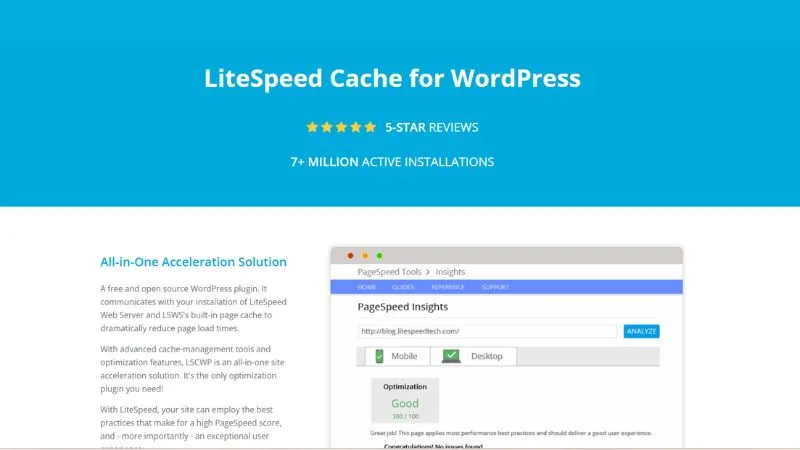
LiteSpeed Cache is the most downloaded free WP cache plugin with over 7 million active installs and a 4.8/5 rating from 2,747+ reviews. Those numbers don’t come from marketing. They come from results.
Most caching plugins work at the application level. They use PHP to intercept a page request and serve a saved HTML file. LiteSpeed Cache, on a LiteSpeed server, works at the web server level. The server itself handles the caching before PHP ever runs. That’s a meaningfully different and faster process.
This is also why it replaces Sucuri on this list. Sucuri is a security and firewall plugin. It does not cache pages. Comparing it to LiteSpeed Cache is a category error that several popular guides still make.
On any server (Apache, Nginx, LiteSpeed), you still get access to all the general optimization features. But the full-speed server-level page caching is exclusive to LiteSpeed hosting environments. Hosts like Hostinger, A2 Hosting, and some SiteGround plans run LiteSpeed.
What’s included for free (current version 7.8.1, released April 2026):
- Server-level page caching (LiteSpeed servers)
- QUIC.cloud CDN integration
- Image optimization with both WebP and AVIF format support (added in v7.0, March 2025)
- Critical CSS generation
- Minification and combination of CSS, JS, and HTML
- Lazy loading for images and iframes
- Object caching with Redis and Memcached support
- Database cleaner and optimizer
- Browser caching
- Defer and delay JavaScript loading
- Heartbeat control
- HTTP/2 and HTTP/3 (QUIC) support
Best for: Anyone on LiteSpeed-powered hosting who wants a free plugin that rivals, and on compatible servers outperforms, most paid options.
Killer feature: Built-in image optimization to AVIF and WebP via QUIC.cloud. AVIF is a modern image format that offers better compression than WebP, meaning your images load even faster. Most plugins charge for this separately.
Pros:
- Completely free and open source
- 7+ million installs, actively maintained (multiple updates in 2026 already)
- Server-level caching on LiteSpeed hosting is faster than PHP-based caches
- Full optimization suite: images, CSS/JS, database, CDN, all in one plugin
- AVIF and WebP support (added in 2025)
- Works on non-LiteSpeed servers too, though without server-level caching advantage
Cons:
- Settings panel is large and can intimidate new users (more than 15 settings tabs)
- Full page caching advantage requires LiteSpeed hosting
- QUIC.cloud CDN free plan uses only 6 Points of Presence vs. 80+ on paid plan
- Some 1-star reviews mention CSS breaking and dashboard display issues after aggressive settings (configure carefully)
One thing to know before installing: Some features like the Smart Crawler and certain QUIC.cloud services require enabling them carefully. The defaults are safe, but the advanced settings can break your site’s CSS if you push minification too aggressively without testing.
Verdict: If you’re on LiteSpeed hosting, this is your plugin, period. It’s free, it’s fast, and it covers more ground than WP Rocket at zero cost. On other servers, it’s still a strong free option, just without the server-level caching edge.
3. W3 Total Cache — Best for Advanced Users Who Want Full Control
W3 Total Cache (W3TC) has been around since before most current WordPress developers started using the platform. It’s the most configurable free WP cache plugin you’ll find, and that’s both its strength and its weakness.
The plugin supports caching at multiple layers: page cache, object cache, database cache, browser cache, opcode cache, and fragment cache (Pro). It supports disk, Redis, Memcached, APC, APCu, and a handful of other methods. You can combine a CDN, set granular cache rules by URL, configure minification per JavaScript file, and set separate browser cache TTL values for different file types.
The setup wizard is a genuine help. It runs benchmark tests on your server against Redis, Memcached, and disk caching, then recommends which method performs best for your environment.
Current version is 2.9.4, released June 2026. The Pro version adds Full Site CDN delivery, REST API caching, delay scripts, eliminate render-blocking CSS, preload requests, remove CSS/JS, and AVIF image conversion via their image service API.
W3 Total Cache Pro Pricing:
| Plan | Price | Sites | Includes |
|---|---|---|---|
| 1 Site License | $99/year | 1 | Best performance |
| 5 Site Licenses | $350/year | 5 | 1 free plugin configuration ($125 value) |
| 10 Site Licenses | $500/year | 10 | 2 free plugin configurations ($250 value) |
| Bulk Licenses | Custom | 10+ | Contact for pricing |
30-day money-back guarantee on all plans. The 5-site plan works out to $70/license and the 10-site plan to $50/license.
Active install note: W3TC dropped from over 1 million to around 900,000 installs recently, which tracks with some rough patches. Recent support forum reviews mention a Redis authentication failure in 2026 causing cascading errors on multiple sites, and JSON API breakage after the 2.9.3 update. The team fixed the JSON issue in 2.9.4, but the transparency around those issues hasn’t been great.
Best for: Developers, technically comfortable site owners, and agencies who want deep visibility into every caching layer and are willing to invest time in configuration.
Killer feature: Multi-layer caching with the setup wizard. No other free plugin lets you test disk vs. Redis vs. Memcached on your actual server and see the performance difference before committing to a configuration.
Pros:
- Free version is genuinely powerful
- More caching methods than any other plugin on this list
- Strong CDN integration including Cloudflare, BunnyCDN, Amazon CloudFront, and more
- Setup wizard reduces initial complexity
- WP-CLI support for cache purging and management
Cons:
- Support resolution rate: 0 out of 15 issues resolved in the last two months (as of time of writing)
- Free version still lacks delay scripts and render-blocking CSS elimination — those are Pro-only features
- Recent update issues (2.9.3) broke JSON API responses for some users
- Can modify wp-config.php and .htaccess in ways that surprise developers managing those files in version control
- The settings interface is genuinely overwhelming for non-technical users
Verdict: Powerful and free, but the recent reliability issues and thin support response are real concerns. If you go with W3TC, pin the version carefully and test updates on staging before deploying.
4. WP Super Cache — Best Simple, Stable, Free Page Cache
WP Super Cache is built and maintained by Automattic, the company behind WordPress.com. That’s not a marketing point. It means this plugin is actively maintained by people who live and breathe WordPress at scale.
The plugin does exactly one thing: page caching. It generates static HTML files from your dynamic WordPress pages and serves those files to visitors. Three delivery methods are available. The fastest uses Apache mod_rewrite to serve files completely outside PHP. The “Simple” mode uses PHP to serve super-cached files, which is almost as fast and easier to set up. A third WP-Cache mode handles logged-in users and URLs with query strings.
The latest version is 3.1.1, released May 2026. That update hardened supercache filename generation against security issues, fixed a PHP 8+ fatal error, and stopped HTML debug comments from appearing in REST API and WooCommerce API responses. The minimum WordPress version is now 6.8+.
The plugin also includes a built-in cache tester that requests your front page twice and compares timestamps to verify caching is working. CDN support via OSSDL CDN off-linker is included. Preload mode is available for warming the cache across all posts automatically.
Best for: Bloggers, news sites, portfolio sites, simple content sites, and anyone who wants reliable page caching without complexity. Also a solid choice for sites that want to pair caching with Cloudflare separately.
Killer feature: Stability and Automattic’s maintenance. Unlike some plugins that go months without updates, WP Super Cache gets regular security and compatibility patches. The May 2026 release addressed several edge cases.
Pros:
- Free, maintained by Automattic (the WordPress.com team)
- Three delivery modes to match your server setup
- Includes a built-in cache tester
- Garbage collection settings to control how long cached files stay fresh
- REST API endpoints for settings management
- Compatible with most CDN setups via CDN tab
- Regularly updated and tested against current WordPress versions
Cons:
- No image optimization, minification, or JavaScript deferral
- No object or database caching
- Doesn’t help with Core Web Vitals beyond TTFB improvement from page caching
- Some compatibility issues noted with plugins that use dynamic elements like color switchers
- Rated 4.3/5 with a notable chunk of 1-star reviews, mostly from edge case conflicts
Verdict: If your site is informational or editorial and you just need clean, reliable page caching, WP Super Cache delivers. For anything beyond basic caching, combine it with Cloudflare’s free CDN and a separate image optimizer. Don’t expect it to solve your Core Web Vitals in isolation.
5. Cache Enabler — Best for Minimalists and Plugin Stack Builders
Cache Enabler is built by KeyCDN and does one job extremely well: disk-based static HTML page caching. The settings fit on a single page. There are no upsells, no multi-tab dashboards, and no settings buried three menus deep.
Current version is 1.8.16. Features include automatic smart cache clearing, manual and WP-CLI cache clearing, cache expiry settings, WebP image support (when images are already converted via Optimus or another tool), mobile-specific caching, Brotli and GZIP pre-compression, and HTML minification with optional inline CSS and JavaScript minification. It shows your real-time cache size right on the WordPress dashboard.
The plugin does not modify your .htaccess automatically, which several reviewers specifically call out as a feature. Less automatic file modification means fewer surprises and fewer conflicts.
It has 90,000+ active installs and a 4.3/5 rating from 138+ reviews. Not the biggest install count, but the review quality is high and the conflict reports are low.
Best for: Developers who want a lightweight caching layer as part of a carefully assembled plugin stack, minimalists who want a site to stay fast without plugin bloat, and sites where reducing conflicts is the priority over having every feature in one place.
Killer feature: Brotli pre-compression support. Most free caching plugins support GZIP. Cache Enabler added Brotli support (v1.8.0), which compresses files to smaller sizes than GZIP, meaning faster transfer times for browsers that support it.
Pros:
- Free and very lightweight
- Single settings page, minimal configuration needed
- Does not auto-modify .htaccess
- Brotli and GZIP pre-compression built in
- WebP support (images must be pre-converted separately)
- HTML minification with inline CSS/JS option
- Low conflict rate across the board
Cons:
- Only 90,000+ installs, smaller community for troubleshooting
- Last major update was over 4 months ago (as of writing), which is slower than the other plugins here
- No built-in image optimization, JS management, or CDN integration
- Requires Optimus (KeyCDN’s paid service) to convert images to WebP natively
- 0 out of 1 support issues resolved in recent period per the support tab
Verdict: Cache Enabler earns its spot for minimalists and developers who know what they want. It pairs well with a CDN like Cloudflare and a separate image optimizer. If you want everything in one plugin, look at LiteSpeed Cache or WP Rocket instead.
Bonus: Flying Pages — Make Page Navigation Feel Instant
Flying Pages is not a cache plugin. But it belongs in this guide because it solves a real problem that caching alone doesn’t fix: even a cached page takes a moment to load when a user clicks a link.
Flying Pages solves this by preloading pages before users click them. It injects a 1KB JavaScript file (gzipped), waits until the browser is idle, then uses two methods: detecting links visible in the current viewport using the Intersection Observer API and prefetching them, and prefetching any link a user hovers over if it hasn’t been preloaded yet.
It’s smart about server load. Flying Pages limits preloads to 3 requests per second by default, using a queue to prevent server spikes on pages with many links. If your server starts responding slowly or returning errors, preloading stops automatically. It also checks for slow connections and skips preloading on 2G or data-saver mode.
Current version is 2.4.7. It has 20,000+ active installs and a 4.9/5 star rating from 79 reviews, which is one of the cleanest ratings in the WordPress plugin directory.
One important clarification from the plugin’s own FAQ: Flying Pages only preloads HTML. It does not download images, CSS, or JavaScript inside the page. So it won’t meaningfully increase your bandwidth usage.
Best used with: Any of the 5 caching plugins above, particularly on content-heavy sites, blogs, or WooCommerce stores where users navigate between multiple pages in a session.
Pros:
- Free, tiny footprint (1KB gzipped JS)
- Intelligent preloading with rate limiting to protect server
- Respects user connection speed and data-saver preferences
- 4.9/5 rating, highly stable
- Works with WooCommerce (has /checkout in ignore keywords by default)
Cons:
- Only improves perceived navigation speed, not initial page load
- Increases server load slightly on pages with many links (manageable with rate limiting)
- Small install base (20,000+) compared to the main cache plugins
- Preloading doesn’t update immediately when new posts are published (one user complaint in reviews)
Setup: Install, activate, configure your delay and max requests per second settings, done. Add /checkout, /cart, and /wp-admin to the ignore keywords list if they aren’t there already.

Which WP Cache Plugin Should You Actually Use?
On LiteSpeed hosting: Install LiteSpeed Cache. Free, more capable than WP Rocket on compatible servers, and actively updated in 2026.
On Apache or Nginx, willing to pay: WP Rocket at $59/year. Setup takes 10 minutes, Rocket Insights tracks your performance, and support is responsive.
On Apache or Nginx, free only, comfortable with settings: W3 Total Cache. Use the setup wizard. But pin your version and test updates before deploying live. Recent reliability issues are a fair concern.
Simple content site, free only: WP Super Cache. Reliable, backed by Automattic, and works cleanly with Cloudflare.
Want minimal footprint and know what you’re doing: Cache Enabler. Pair it with Cloudflare and a separate image optimizer.
All of the above, want faster navigation: Add Flying Pages to whatever caching plugin you install.
Common Caching Mistakes WordPress Users Make
Running two caching plugins at once. This is the most common mistake and the most damaging. Two plugins both trying to write cache files for the same pages will conflict, and your site will serve broken or inconsistent pages. Pick one.
Not clearing cache after making changes. When you update a post, change your theme, or add a plugin, visitors might still see the old cached version. Always clear your cache after significant changes. Most plugins add a clear cache button to your WordPress admin bar.
Turning on minification without testing. Minification combines and compresses your CSS and JavaScript into smaller files. It can break page layouts or break interactive elements like dropdown menus and contact forms. Always test in a staging environment first, then on mobile. Check your header, footer, and any dynamic elements.
Ignoring mobile caching. If your plugin has a separate mobile cache option, enable it and test your site on a real phone. Desktop and mobile often get different cached files.
FAQs
What is the best free WP cache plugin?
For LiteSpeed hosting, LiteSpeed Cache. It’s free, has 7+ million installs, and includes image optimization, CDN, and object caching at no cost. For Apache or Nginx hosting, WP Super Cache is the most stable free option. W3 Total Cache offers more features if you’re comfortable in settings.
Can I use two caching plugins at the same time?
No. Running two plugins that both generate page cache files will cause conflicts and serve broken pages to visitors. Always use one caching plugin at a time.
Does caching help with Google Core Web Vitals?
Yes, directly. Page caching reduces your Time to First Byte (TTFB), which improves your Largest Contentful Paint (LCP) score, one of the three Core Web Vitals Google factors into rankings. It also reduces server load, which improves consistency under traffic spikes.
How often should I clear my WordPress cache?
After publishing or significantly editing content, changing your theme, updating plugins or WordPress core, or adding/removing plugins. Most plugins also let you set a cache expiry interval (like 1800 seconds) so old files are automatically removed on a schedule.
Is WP Rocket worth paying for?
For non-technical site owners and business sites, yes. The configuration is minimal, the results are consistent, and having Rocket Insights to monitor performance over time adds real value. For a personal blog on LiteSpeed hosting, LiteSpeed Cache matches or exceeds it for free.
Does LiteSpeed Cache work on shared hosting?
Yes, if the host runs LiteSpeed servers. Hostinger and A2 Hosting both run LiteSpeed on their shared plans. Check with your host if you’re unsure. The general optimization features (minification, image optimization, JS deferral) work on any server regardless.
What’s the difference between page cache and object cache?
Page cache saves the finished HTML of your pages so they’re served without running PHP or database queries. Object cache saves the results of individual database queries in fast memory (Redis or Memcached), so your database doesn’t repeat the same work. Object caching is most valuable on sites with lots of dynamic content, like WooCommerce stores or membership sites with many logged-in users.
What is Flying Pages and do I need it?
Flying Pages is a free preloading plugin that makes navigation between pages feel instant. It’s not a cache plugin, so it doesn’t replace any of the above. It’s an add-on. If your visitors frequently click between pages (blog readers, store shoppers), adding Flying Pages on top of your caching plugin is a solid free win.
Final Takeaway
The WP cache plugin that’s right for you comes down to two things: your server and your budget.
On LiteSpeed hosting? Install LiteSpeed Cache. It’s free and it’s the best-performing option available on that server type.
On any other server with a budget? WP Rocket at $59/year handles everything with minimal setup.
On any other server without a budget? WP Super Cache for simplicity. W3 Total Cache if you want more control and are willing to spend time configuring.
Then add Flying Pages for free to make navigation feel instant.
One plugin. Properly configured. That’s the move.