Key Takeaways
- WordPress is a content management system (CMS). It is free, open source software that lets you build and run a website through a simple dashboard, no code required.
- Think of it like buying a ready built commercial space with walls, wiring, and layout already done, instead of renting a bare plot and building from zero.
- WordPress.org and WordPress.com are not the same thing. One gives you full ownership. The other rents you space with real limits. Pick wrong and you will regret it later.
- WordPress runs on PHP and a MySQL database, and it powers roughly 43% of all websites on the internet, more than every other platform combined.
- You do not need to code to use it. Themes control how your site looks. Plugins add features like forms, SEO tools, and online stores.
- A basic site can go live within a day for less than the cost of a nice dinner.
You do not need to learn code to build a website. Full stop.
That one line stops most beginners in their tracks, because everywhere else on the internet, building a website sounds like a computer science degree. Lines of code. Servers. Databases. It sounds like something only developers touch.
It is not. Millions of small business owners, bloggers, and creators build full websites every day using WordPress. Most of them have never written a line of code. By the end of this guide, WordPress will feel less like software and more like setting up a shop. You pick the space, you decorate it, you open the doors.
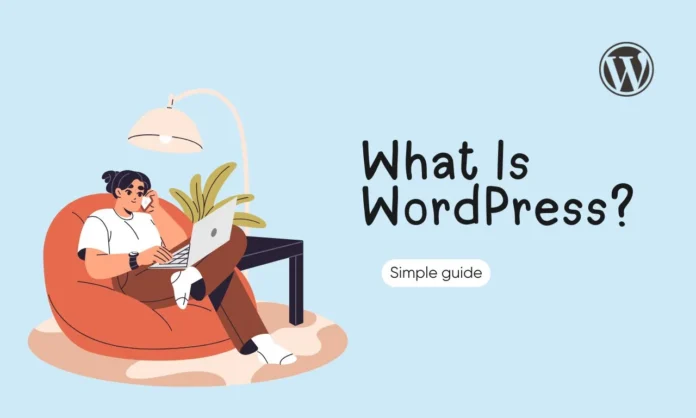
What Is WordPress?
WordPress is a content management system, or CMS. That is just a fancy way of saying it is software that lets you create, edit, and publish web pages without writing code.
It is also open source, which means the software is free for anyone to use, study, and improve. Nobody owns WordPress the way a company owns Photoshop or Microsoft Word. It is built and maintained by thousands of volunteer developers around the world, which is a big reason it has stayed reliable and current for over 20 years.
WordPress gives you a backend dashboard, a private control panel where you manage everything on your site. Think of it as the back office of a store. Customers never see it, but it is where you restock shelves, change prices, and rearrange the layout.
The Bare Plot vs Ready Building Analogy
Here is the analogy that makes WordPress click instantly.
Say you want to open a shop. You have two options.
Option one: you rent a bare commercial plot. Nothing on it. No walls, no wiring, no plumbing. You hire architects, electricians, and contractors to build everything before you can even hang a sign. That is what building a website from raw code looks like. Powerful, but slow, expensive, and technical.
Option two: you move into a fully built space. Walls are up. Electricity works. Layout options are ready. You pick your interior design, add the shelves you need, and open for business in days, not months.
WordPress is option two. The hard construction work is already done. Your job is decoration and setup, not engineering.
A Quick Look at Where WordPress Came From
WordPress launched on May 27, 2003. Two developers, Matt Mullenweg and Mike Little, built it as a simple tool for people who wanted to write blogs without wrestling with code. It grew out of an older, smaller project called b2/cafelog, which was slowing down and needed a fresh start.
What began as a blogging tool became something much bigger. Today, businesses, news outlets, online stores, and personal blogs all run on the same software. The core idea never changed: give regular people the power to publish, without needing a developer standing over their shoulder.
WordPress is licensed under something called the GPL, which grants users four freedoms: the freedom to run the software for any purpose, study how it works, change it, and share those changes with others. This is the legal backbone that keeps WordPress free and open forever. No single company can lock it up or shut it down.
WordPress.org vs WordPress.com
This is where most beginners get stuck, and honestly, it is not their fault. The naming is confusing on purpose.
Same name. Two completely different products.
WordPress.org is the real deal. This is self hosted WordPress, meaning you download the free software and install it on hosting that you pick and control. You own your website completely. You can install any plugin, use any theme, run ads, sell products, and monetize however you want. Nobody can shut you down or cap your features.
WordPress.com is a hosted service run by a company called Automattic. It uses the same underlying software, but you are renting space inside their walled garden. Free and lower tier plans block custom plugins, limit design control, sometimes place the company’s own ads on your site, and restrict how you make money. You can upgrade to unlock more, but you will pay for every bit of freedom you get back.
One line makes the difference clear: WordPress.org gives you ownership. WordPress.com gives you convenience with strings attached.
Which One Should You Actually Use
If you are building a business site, blog, or anything you plan to grow or monetize long term, use WordPress.org. It is the industry standard, the one professionals use, and the one this entire guide focuses on.
WordPress.com only makes sense for a small personal site you never plan to expand, customize, or make money from.
How WordPress Actually Works
Think of WordPress like a car. You do not need to understand the engine to drive one, but knowing the basics helps you make smarter choices.
- The database (MySQL) is the fuel tank. It stores everything: your posts, pages, settings, comments, and user accounts, all organized and ready to be pulled up whenever needed.
- PHP is the engine. It is the programming language that runs behind the scenes and turns your stored content into a working web page in real time.
- The web server is the wheels. It takes what the engine produces and delivers your website to a visitor’s browser.
Here is what actually happens when someone visits your site: their browser sends a request to your host, PHP grabs the right content from the database, combines it with your theme’s design, and sends back a finished page. This whole process takes less than a second.
You never touch any of these parts directly. You just use the dashboard, and WordPress handles the mechanics underneath.
The Three Building Blocks
Once your site is running, three things shape the entire experience.
The Dashboard is your control room. Publish posts, manage pages, adjust settings, all from one place. You reach it by going to yourdomain.com/wp-admin.
WordPress Themes control how your site looks. Think interior design. Swap a theme and your entire site gets a new layout, color scheme, and style, often in minutes. Thousands of free and paid themes exist for almost any type of website.
WordPress Plugins add features your site does not have by default. Need a contact form? A store? SEO tools? There is a plugin for almost anything, and installing one usually takes a few clicks. WordPress has more than 60,000 free plugins in its directory alone.
Posts vs Pages: A Small Detail That Confuses Everyone
WordPress has two types of content, and beginners mix them up constantly.
Posts are your blog entries. They show up in order with the newest first, and they use categories and tags to stay organized. Posts are for content that is timely, like news or articles.
Pages are static and permanent. Your About page, Contact page, and Services page are all Pages. They do not appear in your blog feed and are not tied to a date.
Getting this right from day one keeps your site organized as it grows.
Who Can Access Your Dashboard
If more than one person works on your site, WordPress lets you assign different roles.
- Administrator has full control over everything.
- Editor can publish and manage all posts, including other people’s.
- Author can publish and manage their own posts.
- Contributor can write posts but cannot publish them without approval.
- Subscriber can only manage their own profile, often used for membership sites.
This matters more than it sounds. It lets a business owner bring on writers or freelancers without handing over the keys to the entire site.
What You Need to Get Started
Two things, both simple.
A domain name is your website’s address, like yourbusinessname.com. It is how people find you on the internet.
Hosting is the physical space where your website’s files actually live, similar to the building in our earlier analogy. Without hosting, there is no building for WordPress to live in.
Most beginners pick shared hosting to start, which is affordable and puts several websites on one server. As a site grows, many people move to managed WordPress hosting, which handles updates, backups, and security for you at a higher price. Together, a domain and basic hosting usually cost less than a monthly streaming subscription.
What Can You Actually Build With WordPress
Building a website with WordPress is not limited to blogs anymore. People use it for:
- Personal and professional blogs
- Business and portfolio websites
- Online stores using the WooCommerce plugin
- Membership and online course platforms
- News and magazine sites
- Community forums
If you can imagine it, there is likely already a plugin built for it.
Who Actually Uses WordPress
WordPress is not a beginner only tool that businesses outgrow. Well known names like TechCrunch, Sony Music, The New Yorker, and Reuters all run on the same open source CMS as a first time blogger, just at a bigger scale.
That range is exactly why WordPress has stayed dominant for over two decades. It grows with you instead of forcing you to switch platforms later. A hobby blog and an enterprise news site can use the exact same core software.
WordPress vs Other Website Builders
People often compare WordPress to platforms like Wix or Squarespace. Here is the honest difference.
Wix and Squarespace are easier to pick up in your first ten minutes. Everything is bundled together, and you cannot break much.
WordPress has a slightly steeper learning curve at the very start, but it has no ceiling. You own your data, you can install any plugin from any developer, and you can move your site to a different host anytime without losing anything. With Wix or Squarespace, you are locked into their system for good. If they raise prices or shut down a feature you rely on, you have no way out.
For a quick personal page, a closed builder is fine. For anything you plan to grow, sell through, or build a brand on, WordPress gives you far more room to expand.
Common Mistakes Beginners Make With WordPress
Avoid these and you skip months of frustration.
Confusing .org and .com. Pick the wrong one and you hit walls you did not expect, usually right when your site starts gaining traction.
Choosing cheap, unreliable hosting. Your host affects speed, uptime, and security. Do not treat it as an afterthought.
Installing too many plugins. Every plugin adds weight. A bloated site with 30 plugins from 30 different developers gets slow and hard to manage. Stick to what you actually need.
Skipping backups and security basics. WordPress is popular, which makes it a common target for attacks. Most security problems come from outdated plugins and themes, not the core software itself. A single hack or crash can wipe out months of work if you are not protected.
Ignoring SEO from day one. Search visibility gets harder to build the longer you wait. Set your foundation early.
Getting locked into a theme. Some themes make it painful to change your header or layout later without touching code. Check how flexible a theme is before you commit to it.
FAQs
Is WordPress free?
The WordPress software itself is free. You will still pay for hosting and a domain name, which together typically run under a few dollars a month when starting out.
Do I need to know how to code to use WordPress?
No. Themes and plugins handle the technical work. Most beginners manage their entire site without ever seeing a line of code. WordPress also has a built in block editor called Gutenberg, which lets you build pages by dragging and dropping content blocks.
Should I use WordPress.org or WordPress.com for a business?
Use WordPress.org. It gives you full ownership, unrestricted monetization, and complete design and plugin freedom.
What is the difference between a WordPress post and a page?
Posts are blog style content shown in date order. Pages are static content, like your About or Contact page, that does not change often.
Can I sell products on WordPress?
Yes. The WooCommerce plugin turns any WordPress site into a fully functional online store, free to install.
Is WordPress good for SEO?
Yes. WordPress is built with clean, search friendly code, and plugins like Yoast or Rank Math make on-page SEO simple to manage.
Is WordPress secure?
It can be, if you keep it maintained. Most security issues come from outdated plugins and themes, not WordPress core. Regular updates, strong passwords, and a decent security plugin solve most of the risk.
How long does it take to launch a WordPress site?
A basic site can go live within a day. More complex builds with custom design and features usually take one to two weeks.
Can I switch my WordPress theme later?
Yes, but be careful. Switching themes can change your layout and break some design elements. Always back up your site first, and check that your new theme supports your existing content structure.
Is WordPress still relevant in 2026?
Very much so. WordPress powers roughly 43% of all websites globally, more than every competing platform combined, and it continues to grow.
Final Takeaway
WordPress is not a coding project. It is a ready built structure waiting for you to move in and set up shop.
Here is your starter checklist:
- Choose WordPress.org for full ownership and freedom
- Buy a domain name and reliable hosting
- Install WordPress and pick a theme
- Add the plugins you actually need
- Publish your first page today
The building is already standing. All that is left is opening the doors.