Key Takeaways
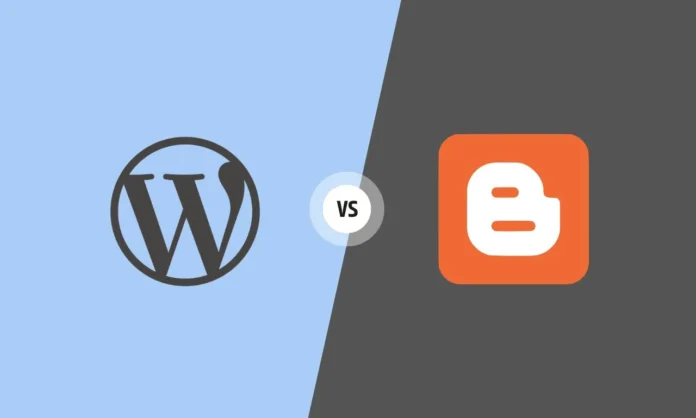
- WordPress vs. Blogger control. Choosing WordPress gives you total asset ownership and unlimited monetization, while Blogger keeps you trapped inside Google’s restrictive ecosystem.
- Zero-cost limitations. Blogger is 100% free and requires zero technical maintenance, making it perfect for hobbyists but highly risky for growing a real business brand.
- Search visibility dominance. WordPress offers advanced SEO capabilities through powerful plugins that help you rank higher on search engines, whereas Blogger provides only basic settings.
- Design and feature scaling. You get access to over 60,000 plugins with WordPress to build any site you want, while Blogger limits you to a few rigid templates and basic gadgets.
- Long-term investment value. If you want to make money, build an audience, and protect your content from sudden platform shutdowns, WordPress is the superior platform to choose.
What is WordPress?
Self-hosted freedom. WordPress is an open-source software that you install on your own web hosting account. It gives you absolute control over every single pixel, line of code, and database entry on your site.
Industry standard. Over 43% of all websites on the internet run on WordPress. It is the platform used by global brands, professional affiliate marketers, and serious content creators who need scalability.
What is Blogger?
Google-owned simplicity. Blogger is a free content management system run directly by Google. It allows you to create a blog in less than five minutes without buying hosting or knowing how to code.
Hobbyist focus. It uses a simplified dashboard meant for casual writers, students, and lifestyle bloggers who want to share thoughts without managing technical setups.

Key Differences at a Glance
Choosing the right platform comes down to matching features with your goals. Here is how they compare across the metrics that actually matter for your growth.
| Feature | WordPress | Blogger |
| Setup Cost | Low (Requires hosting) | 100% Free |
| Data Ownership | You own everything | Google owns the platform |
| SEO Tools | Advanced plugins available | Basic built-in settings |
| Customization | Unlimited | Extremely limited |
| Maintenance | Manual updates required | Managed by Google |
Ease of Use
Blogger setup. Setting up Blogger takes seconds because you only need a Google account. The interface is clean, looking much like a standard text editor, which makes publishing straightforward for absolute beginners.

WordPress learning curve. WordPress requires you to buy a domain name and web hosting first. Most hosting companies offer one-click installations, but the dashboard has more menus and settings to learn before you feel comfortable.

Customization and Themes
Design limits. Blogger provides a handful of basic templates. You can tweak colors and layouts slightly, but making major design changes requires editing complex HTML code directly.
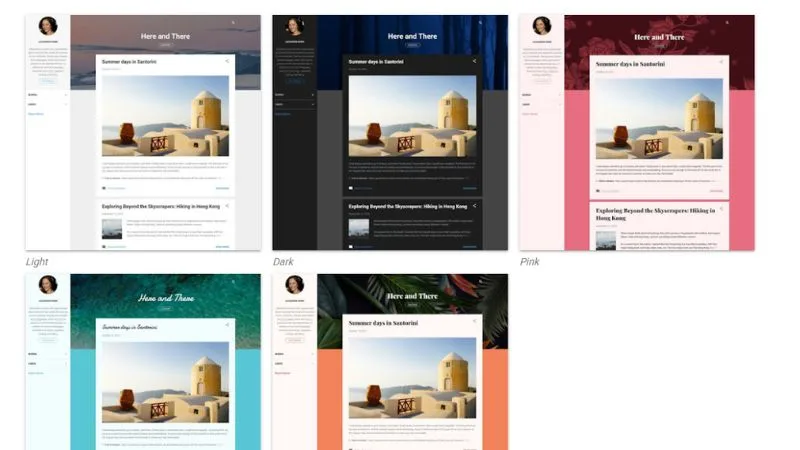
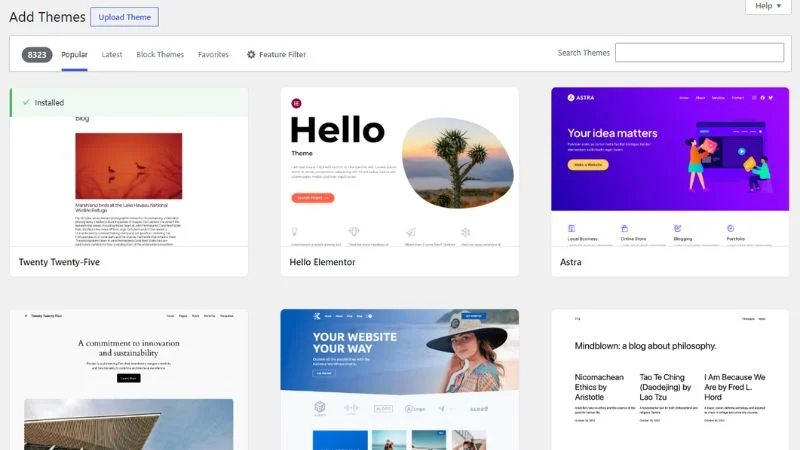
Design ecosystems. WordPress offers thousands of free and premium themes. You can use visual drag-and-drop page builders to design a completely custom homepage without touching code.
SEO Capabilities
Search visibility. WordPress dominates search engine optimization because it allows you to install specialized SEO plugins. These tools guide you through optimizing your titles, meta descriptions, sitemaps, and schema markup. Recent search industry data shows that websites with dedicated optimization frameworks experience significantly higher keyword visibility.
Basic settings. Blogger gives you basic control over your permalinks, image alt tags, and robots.txt files. However, you cannot add advanced structured data or run deep technical audits to fix crawl errors easily.
Speed and Performance
Hosting dependence. WordPress speed depends heavily on your hosting provider and optimization habits. If you use cheap hosting and heavy images, your site will load slowly, though caching tools can fix this.
Google infrastructure. Blogger sites load fast out of the box because they run on Google’s global servers. You do not have to worry about server optimization, bandwidth limits, or sudden traffic spikes crashing your site.
Security and Maintenance
Hands-off security. Blogger handles all backend security, backups, and software updates automatically. You never have to worry about your site getting hacked due to an outdated script.
Personal responsibility. WordPress requires you to manage your own security. You must update the core software, your themes, and your plugins regularly, while also setting up automatic backup routines to protect your data.
Cost Comparison
Upfront investments. Blogger is entirely free to use on a blogspot subdomain. If you want a professional look, you only pay around 10 to 15 dollars per year for a custom domain name.
Ongoing expenses. WordPress software is free, but you must pay for web hosting, which starts at around 3 to 7 dollars per month. As your traffic grows, your hosting costs will scale alongside your audience.
Monetization Options
AdSense integration. Blogger connects directly with Google AdSense, making it easy to display ads. However, your options for adding custom affiliate widgets, selling digital products, or creating a paid membership program are highly restricted.
Revenue generation. WordPress places zero restrictions on how you make money. You can run any ad network, add e-commerce stores, write sponsored content, or build high-converting affiliate product grids using custom plugins.
Ownership and Control
Platform risk. Blogger belongs to Google. If your content violates their terms of service, or if Google decides to shut down the service, your blog can disappear overnight without warning.
Absolute ownership. WordPress gives you total ownership of your digital asset. Since you pay for your own hosting, no one can shut your site down or dictate how you run your business.
Plugins and Integrations
Feature expansion. WordPress features a library of over 60,000 free plugins. If you want to add a contact form, a forum, a booking calendar, or an online course player, you just click install.
Gadget limitations. Blogger uses small widgets called gadgets to add basic elements like a search bar or a contact form. There is no major app store or plugin library to add advanced business functionality.
Modern Blogging Features
Smart publishing. WordPress supports advanced content management workflows, allowing you to schedule posts across complex calendars, track editorial revisions, and utilize blocks that format content for modern search feeds instantly.
Static feeds. Blogger relies on a traditional feed structure. It lacks deep integration with third-party automation tools, making it harder to push content to multiple platforms simultaneously.
Scalability for Long-Term Growth
Business expansion. WordPress can scale from a simple personal blog to a massive media site getting millions of visitors per month. It grows with your business goals.
Growth ceilings. Blogger works well for a fixed number of articles, but managing hundreds of content pieces becomes clunky, and the platform cannot transform into a full corporate website later.
Pros and Cons of Each
WordPress Pros and Cons
The advantages. Total ownership of your content, unlimited customization, powerful SEO tools, and thousands of plugins to expand your site.
The drawbacks. Requires a monthly financial investment for hosting, has a steeper learning curve, and demands regular security maintenance.
Blogger Pros and Cons
The advantages. Completely free to operate, incredibly fast setup, zero technical maintenance, and reliable security provided by Google.
The drawbacks. Severely limited design choices, poor SEO potential, zero plugin ecosystem, and the constant risk of platform suspension.
Real-World Use Cases
When to choose Blogger. A college student keeping a personal travel diary, a hobbyist sharing recipes with family, or a beginner testing the waters of writing without spending money.
When to choose WordPress. A local business owner building a brand, an affiliate marketer targeting competitive search terms, or a creator launching a digital storefront.
FAQs
Can I move from Blogger to WordPress later?
Yes, you can export your content from Blogger and import it into a self-hosted WordPress site. However, you risk losing your search engine rankings and breaking your existing link structures during the move.
Is WordPress better than Blogger for making money?
WordPress is significantly better for monetization because it allows you to implement custom ad codes, affiliate plugins, and full e-commerce stores. Blogger restricts you mostly to Google AdSense and basic banner links.
Do I need to know coding to use WordPress?
No, you do not need to know coding because modern WordPress utilizes visual block editors and page builder plugins. You can customize your entire layout using simple menus and drag-and-drop settings.
Which Platform Wins?
Building a blog is an investment in your future. If you treat your blog like a real asset, you cannot rely on a free platform that limits your functionality and retains ultimate control over your data.
Blogger serves its purpose perfectly for casual writing and zero-budget hobbies. But if your goal is to build an audience, rank at the top of search results, and generate a sustainable income, WordPress is the clear winner. The small monthly cost of hosting pays for itself in search visibility and monetization freedom.
If you are ready to build a digital presence that ranks high and scales your business, let us help you map out a growth strategy that delivers real results.